SSH - The Whole Sshtory
Most people only use SSH for logging into a remote machine, and they never look beyond that. But SSH can do far more than provide a secure shell. One of its most powerful but overlooked features is tunneling, the ability to move traffic through an encrypted channel and reach services you normally can’t access.
This series will cover five major use cases of SSH with only one part (Remote Machine Access) covered here directly. The other 4 are outsourced to well written posts that do not need a wheel reinvented (credits to https://blog.sysxplore.com/):
- Remote Machine Access
- Local Port Forwarding
- Remote Port Forwarding
- Proxy Tunneling through a Bastion Host
- Dynamic Port Forwarding (SOCKS5)
Pre-SSH
SSH hasn’t always existed. Before (and after) SSH, tools for remote login and file transfer have existed. The problem SSH solves is not entirely unique but the solution was pioneering and elegant. As Jeff Geerling writes on the history of ssh, Tatu Ylonen, the author of the program, tells how Port 22 came to be.
1. Remote Machine Access
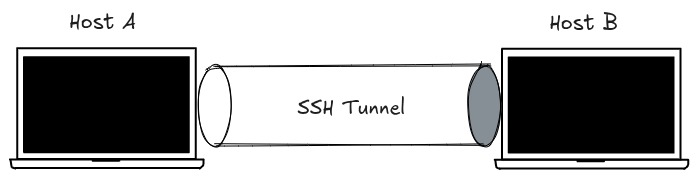
SSH operates on a Client-Server model. To establish the connection/tunnel as shown in Fig 1, two specific pieces of software must be active and able to communicate across a network.
The Core Components
- SSH Client: This is the software on your local machine (the one you are using). Its job is to initiate the connection and prove your identity to the remote host.
- SSH Daemon (
sshd): This is the “server” component. The “d” stands for daemon, which is a background process. It lives on the remote host, constantly listening for incoming connection requests.
NOTE: The hosts, as seen in Fig 1, can and often run both the client and daemon. Further, the hosts can and take different capacities –either connecting to the other, or being connected to.
Basic Requirements to Connect
To bridge the gap between the client and the daemon, four conditions are needed:
- A reachable network address: An IP address or Hostname so the client knows where to send the request.
- Known Daemon Port: By default, the daemon listens on Port 22. If the daemon is configured to a different “doorway,” the client must know which one to knock on. (SSHD should be running)
- Identity/Remote Account: When you connect, you aren’t just connecting to a “server”; you are asking the SSH Daemon to let you act as a specific User Identity on that system. For instance, a specific username on the server (e.g.,
root,ubuntu, oralice) that you are trying to become. I.e., Who you are to the remote host. - Authentication: A way for the server to verify your identity, typically through a password or a cryptographic key pair (which may include a passphrase).
The tunnel
The connection/tunnel is established through a SSH Handshake. The handshake’s main goal is to establish a secure, encrypted connection before any sensitive information—like your password—is ever sent across the network.
Imagine two people wanting to talk privately in a crowded room. Before they share secrets, they need to agree on a code that only they know, even if everyone else is listening.
The handshake process generally follows these stages:
- Version Exchange: Both sides tell each other which version of the SSH protocol they support.
- Algorithm Negotiation: They “haggle” over which mathematical methods they will use for encryption, data integrity, and authentication.
- Key Exchange (KEX): This is the most impressive part. They use clever math to generate a shared Session Key without actually sending that key over the wire. This is often done through the
Diffie-Hellman Processor its derivatives.
By the end of this handshake, an encrypted “tunnel” is formed. Everything sent afterward is scrambled so that anyone “sniffing” the network only sees gibberish.
Host Verification
Host verification is a security check that makes sure you are actually connecting to your intended host and not a clever impostor. Even if you’ve already established a secure, encrypted tunnel (the handshake), you still need to be sure who is on the other side.
Without host verification, an attacker could intercept your connection (Man-in-the-Middle, MITM). You would think you’re talking to your host/server, but you’re actually talking to the attacker, who then forwards your data to the real server. They can see everything—including your password!
The verification is done through Host Keys and Fingerprints. Every SSH server (daemon) has a unique Host Key (a public/private key pair) created when the SSH software is installed.
How the verification happens
- The First Connection: Since your client has never seen this server before, it asks you to verify a Fingerprint—a short, readable hash of the server’s public key.
The authenticity of host '1.2.3.4' can't be established. ECDSA key fingerprint is SHA256:abcdef... - The known_hosts File: If you type “yes”, your client saves that public key into a local file (usually
~/.ssh/known_hosts). - Future Connections: Every time you connect again, your client compares the key the server sends to the one saved in your
known_hostsfile. If they match, the connection happens silently.
When the verification fails
If the server’s Host Key ever changes, SSH will block the connection with a loud text: “WARNING: REMOTE HOST IDENTIFICATION HAS CHANGED!”
Verification may often fail if:
- The ssh daemon was reinstalled (common).
- The server’s IP was reassigned to a different machine, and the connection is now going to the ’new’ host.
- Warning! A Man-in-the-Middle attack is actually happening ):
User Authentication
Now that the Diffie-Hellman handshake has built a secure tunnel, the server needs to make sure the person inside that tunnel is actually allowed to be there. This is done using plain text passwords or asymmetric cryptography key pair.
Passwords are inherently unsecure, and in hardened environments (production and public hosts/servers) they are not allowed.
How the Key Pair works
Asymmetric cryptography uses two keys, a public and private key. Think of the public key like a high-tech padlock. You give it to the server to put on your account. Anyone can see it, but it can’t be used to unlock anything.
Notes
- Conventionally, SSH grants access to a shell to the user after successful authentication. Access to more resources i.e DB Connections and running services can be granted, provided the identity is authorized.
- The Diffie-Hellman process produces a temporal session key that is not saved and is re-generated on each connect request. This session key does not guarantee user authentication, but rather acts as a bastion to enable user authentication.
- Host and server have been used interchangeably through the blog to mean a computer/machine running the SSH Daemon.